

How Many Security Cameras Do I Need for My House?
If you're planning to install security cameras around your home, one of the first questions you may have is: How many security cameras do I actually need?
The answer isn't always based on the size of your house. A small home with several entrances may need more cameras than a larger home with a simple layout.
Instead, think about what areas you want to monitor, where people could enter your property, and where blind spots may exist.
For many homes, two to four cameras may be enough. Larger homes and properties with multiple entry points may benefit from four to six cameras or more.
Here's how to figure out the right number for your property.
How Many Security Cameras Does a Typical Home Need?
There is no one-size-fits-all number, but this can give you a starting point:
| Property | Suggested Starting Point |
|---|---|
| Apartment or small home | 1–2 cameras |
| Small single-family home | 2–4 cameras |
| Medium-sized home | 4–6 cameras |
| Large home or property | 6+ cameras |
These are only general guidelines. Your home's layout matters more than the number of rooms or square footage.
For example, a home with a front door, driveway, backyard, garage, and side entrance may need several cameras even if the house itself isn't particularly large.
What Areas Should You Cover With Security Cameras?
Instead of asking, "How many cameras do I need?" start with:
"Which areas of my property do I need to see?"
Most homeowners start with the areas that are most important for security:
1. Front Door
Your front door is one of the most important areas to monitor.
A camera here can help you keep an eye on:
- People approaching your home
- Packages
- Visitors
- Activity around your entryway
2. Driveway
A driveway camera can monitor vehicles and people approaching your property.
If your driveway is long or wide, one camera may not provide enough coverage. You may need to consider the camera's field of view and placement.
3. Backyard
Backyards can be difficult to monitor from inside the house, especially if they have gates, sheds, patios, or other areas that aren't visible from your front-facing cameras.
4. Garage
A detached or side-entry garage may require its own camera if it cannot be adequately covered by another camera.
5. Side Yard and Side Entrances
Narrow side yards are easy to overlook when planning a security system.
If there is an entrance, gate, or walkway along the side of your home, consider whether it creates a blind spot.
6. Other Entry Points
Think about every practical way someone could approach your property.
This might include:
- Back doors
- Side doors
- Gates
- Basement entrances
- Detached buildings
- Other access points
You don't necessarily need a camera at every location. The goal is to create useful coverage with as few blind spots as practical.
Do I Need a Camera on Every Side of My House?
Not necessarily.
Installing a camera on every wall isn't automatically better. What matters is what each camera can actually see.
Before adding another camera, ask:
- Is there an area that the existing cameras cannot see?
- Is there an entrance or pathway in that area?
- Is something blocking the camera's view?
- Does the camera provide enough coverage at night?
- Could one camera cover this area from a better position?
Good camera placement can sometimes reduce the number of cameras you need.
However, larger properties may still require multiple cameras because one camera cannot monitor several distant areas at the same time.
How Many Cameras Do I Need to Cover My Whole Property?
If your goal is whole-property monitoring, count the areas you want to see rather than simply counting doors.
For example, a property might need coverage for:
Front yard → Driveway → Side yard → Backyard → Garage → Main entrance
That could quickly become a four-, five-, or six-camera setup.
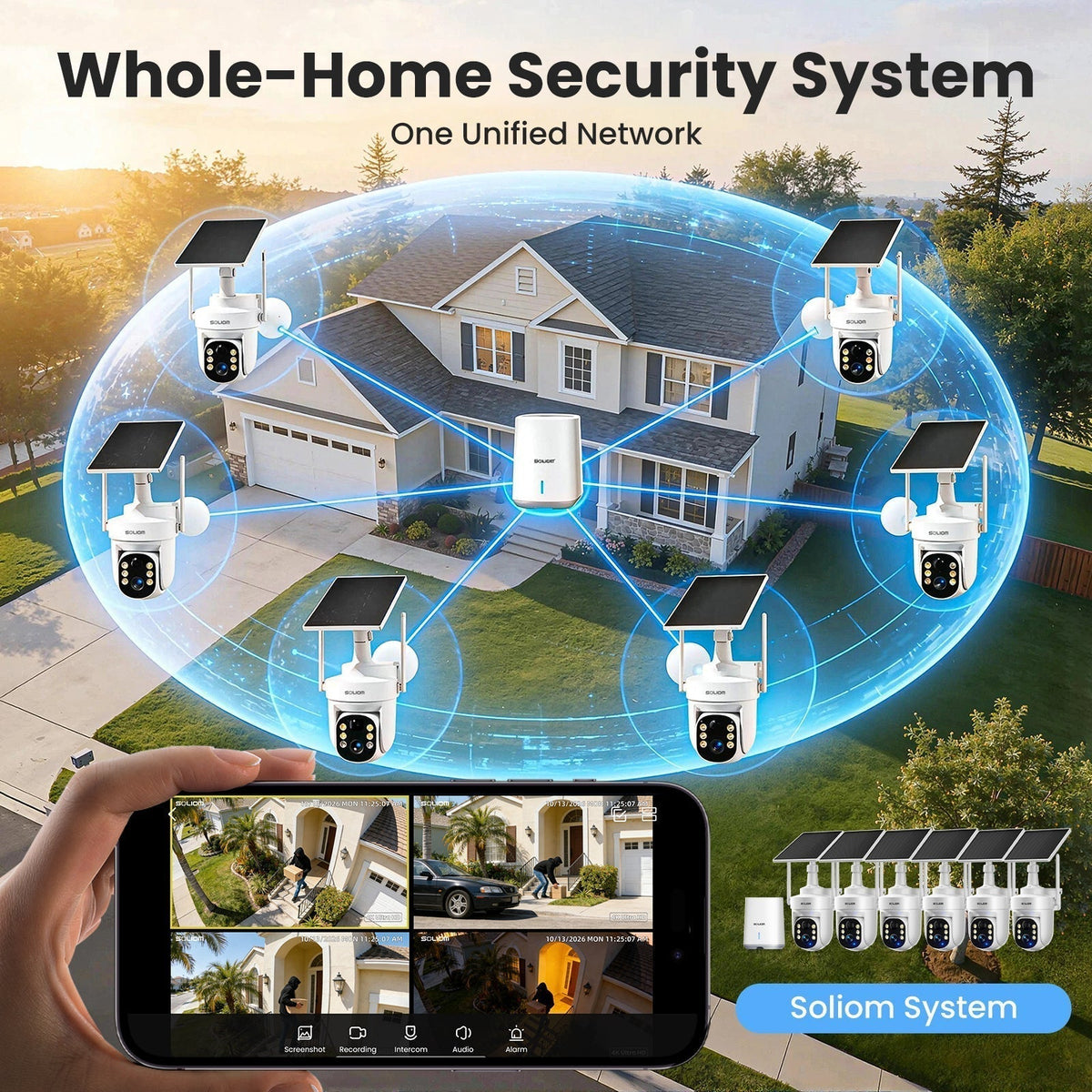
A multi-camera security system can make more sense when you want to monitor several areas at once.
Instead of buying individual cameras separately, you can use a system designed to connect multiple cameras through one setup and app.
Is a 6-Camera Security System Too Many for a House?
For a small home with only one main entrance, six cameras may be unnecessary.
But six cameras can be useful when you have a larger property or several areas that need monitoring.
For example:
- Front yard
- Driveway
- Backyard
- Garage
- Side yard
- Main entry points
A six-camera system gives you more flexibility to position cameras around different areas of your property.
The important question isn't whether six cameras sounds like a lot.
It's:
Can each camera cover an area that actually matters to you?
If the answer is yes, a six-camera system can be a practical option for whole-property coverage.
Should I Buy Individual Security Cameras or a Multi-Camera System?
If you only need one camera for your front door, buying an individual camera may be the simplest option.
But if you need several cameras around your property, a multi-camera system can be easier to manage.
Individual Cameras
Individual cameras can make sense if:
- You only need one or two cameras
- You want to add cameras gradually
- Different areas have different requirements
Multi-Camera Security System
A multi-camera system can be useful if:
- You want to monitor several areas
- You want one system for your property
- You want to manage multiple cameras through one app
- You want cameras that are designed to work together
For a larger property, having cameras that work as part of the same system can also make it easier to understand what is happening across different areas.
What If Someone Moves From One Camera's Area to Another?
This is something to consider when you have multiple cameras.
Imagine someone walks from your driveway toward your front door.
One camera may detect the person in the driveway, while another detects them near the entrance.
With a basic multi-camera setup, these may appear as separate alerts and video clips.
A system with cross-camera synchronization can provide a more connected view of movement across different camera zones.
The SOLIOM SH506 is designed for this type of whole-property monitoring. Its cameras can synchronize events across different areas, helping connect movement into a more complete timeline instead of treating every camera event as completely separate.
Each camera also supports 360° auto tracking to follow movement within its coverage area.
Do I Need Night Vision on Every Outdoor Camera?
If you want to monitor your property around the clock, nighttime performance matters.
Consider the areas where you need to see after dark:
- Driveways
- Front doors
- Backyards
- Walkways
- Garages
- Gates
A camera's daytime resolution doesn't tell you everything about its nighttime performance.
Look at the type of night vision it uses, the available lighting around your property, and where the camera will be installed.
The SOLIOM SH506 uses 5MP / 3K video and color night vision to provide more detailed monitoring in low-light conditions.
Do I Need a Security Camera With Local Storage?
This depends on how you want to store your recordings.
Some security cameras rely primarily on cloud storage, which may involve a monthly or annual subscription.
If you prefer to avoid recurring storage fees, look for a camera system with local storage.
The SOLIOM SH506 includes 64GB of built-in local storage and does not require a monthly subscription for local video storage.
When comparing systems, check exactly what is included with local storage and which features, if any, require additional services.
Are Solar Security Cameras a Good Option for Outdoor Monitoring?
If you're installing several cameras around your property, power can become another consideration.
Running power cables to multiple outdoor cameras isn't always convenient.
Solar-powered cameras can reduce the need for regular manual charging by using solar energy to help recharge the camera.
The SOLIOM SH506 uses solar charging for its outdoor cameras, making it a practical option for locations where running power cables to every camera would be inconvenient.
Solar performance still depends on factors such as sunlight, weather, season, and panel placement, so the solar panels should be positioned where they can receive sufficient sunlight.
A Simple Way to Plan Your Security Cameras
You can plan your system in four steps.
Step 1: Mark Your Entry Points
Identify:
- Front door
- Back door
- Side doors
- Gates
- Garage
- Other entrances
Step 2: Mark Important Outdoor Areas
Add:
- Driveway
- Front yard
- Backyard
- Side yard
- Parking areas
- Detached buildings
Step 3: Identify Blind Spots
Look for areas that cannot be seen from your planned camera positions.
Step 4: Choose the Number of Cameras
Once you've mapped your property, you'll have a much better idea of whether you need:
1–2 cameras, 3–4 cameras, 5–6 cameras, or more.
Is the SOLIOM SH506 Right for a 6-Camera Setup?
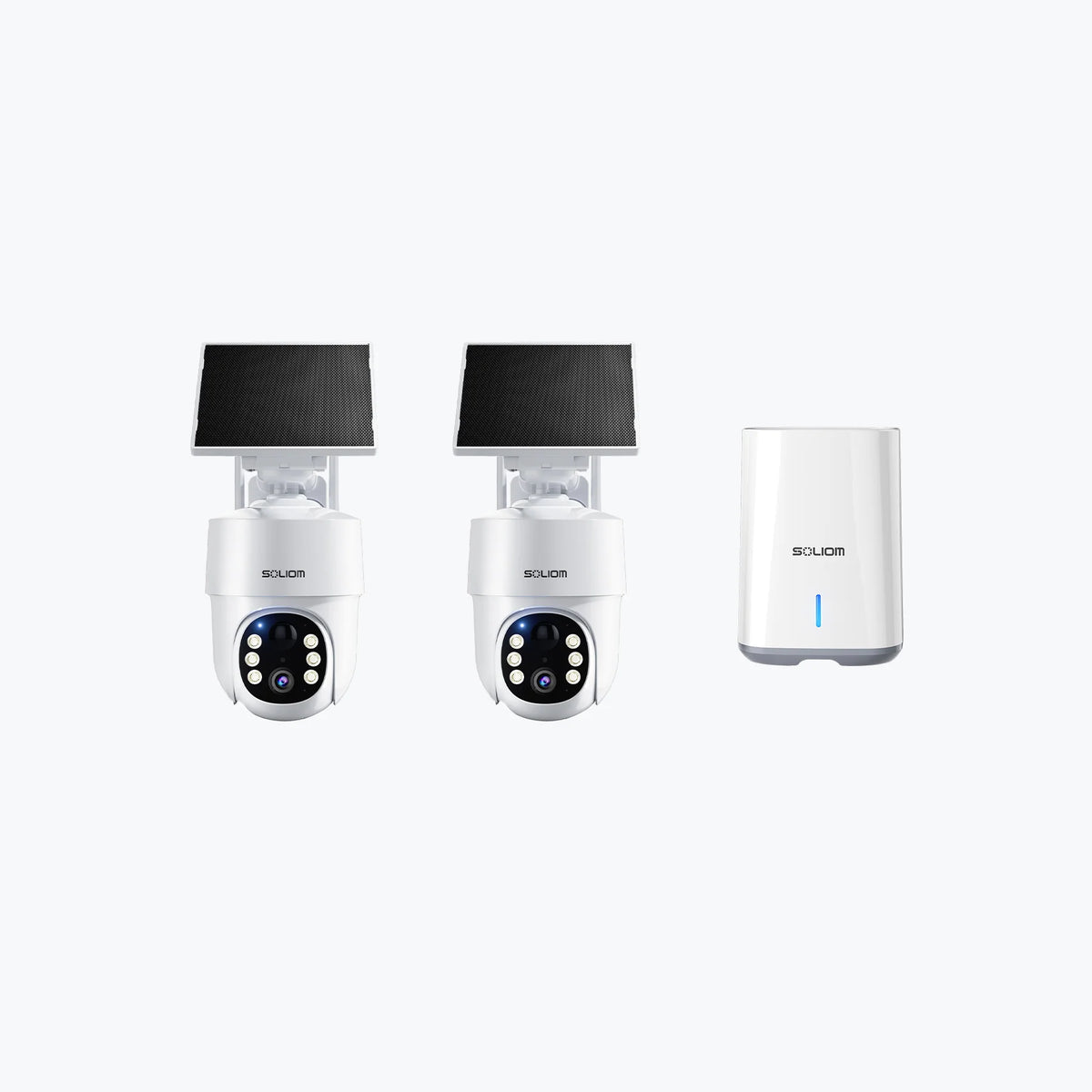
If you need to monitor several areas around your home, the SOLIOM SH506 6-camera outdoor security system is designed for whole-property coverage.
The system combines:
- 6 outdoor security cameras
- 5MP / 3K video
- 360° auto tracking
- Cross-camera event synchronization
- Radar-powered detection
- Color night vision
- Solar charging
- Dual-band 2.4GHz / 5GHz WiFi
- 64GB Encrypted Local Storage
- No Monthly Fees
You can also view up to four cameras on one screen through the SOLIOM Home App.
For a smaller property with only one or two areas to monitor, fewer cameras may be enough. But if your goal is to monitor multiple entry points, the driveway, yard, garage, and other areas at the same time, a six-camera system can provide a more comprehensive setup.
Frequently Asked Questions
How many security cameras do I need for a 2-story house?
There is no fixed number based on the number of floors. Consider the entrances, driveway, yard, garage, and blind spots around the property. A typical two-story home may need several cameras depending on its layout.
How many cameras do I need for a large property?
Larger properties often need more cameras because important areas may be farther apart. Four to six cameras can be a useful starting point for properties with multiple entrances, yards, driveways, or detached structures.
Do I need a security camera for my backyard?
If your backyard contains an entrance, gate, valuable property, or an area that cannot be seen from your other cameras, a dedicated camera may be useful.
Are six security cameras enough?
Six cameras can provide extensive coverage for many homes and medium-to-large properties, but the actual coverage depends on camera placement, viewing angles, and the layout of your property.
Final Takeaway
There isn't a magic number of security cameras that every home needs.
Start with your property, not the camera.
Identify your entrances, driveway, yard, garage, and other areas you want to monitor. Then look for blind spots and decide how many cameras are needed to cover those areas effectively.
For a small home, one or two cameras may be enough. For a larger property with several areas to monitor, a multi-camera system with four to six cameras may make more sense.
The goal isn't to install the most cameras.
It's to make sure the cameras you install cover the areas that matter.


Leave a comment
This site is protected by hCaptcha and the hCaptcha Privacy Policy and Terms of Service apply.