

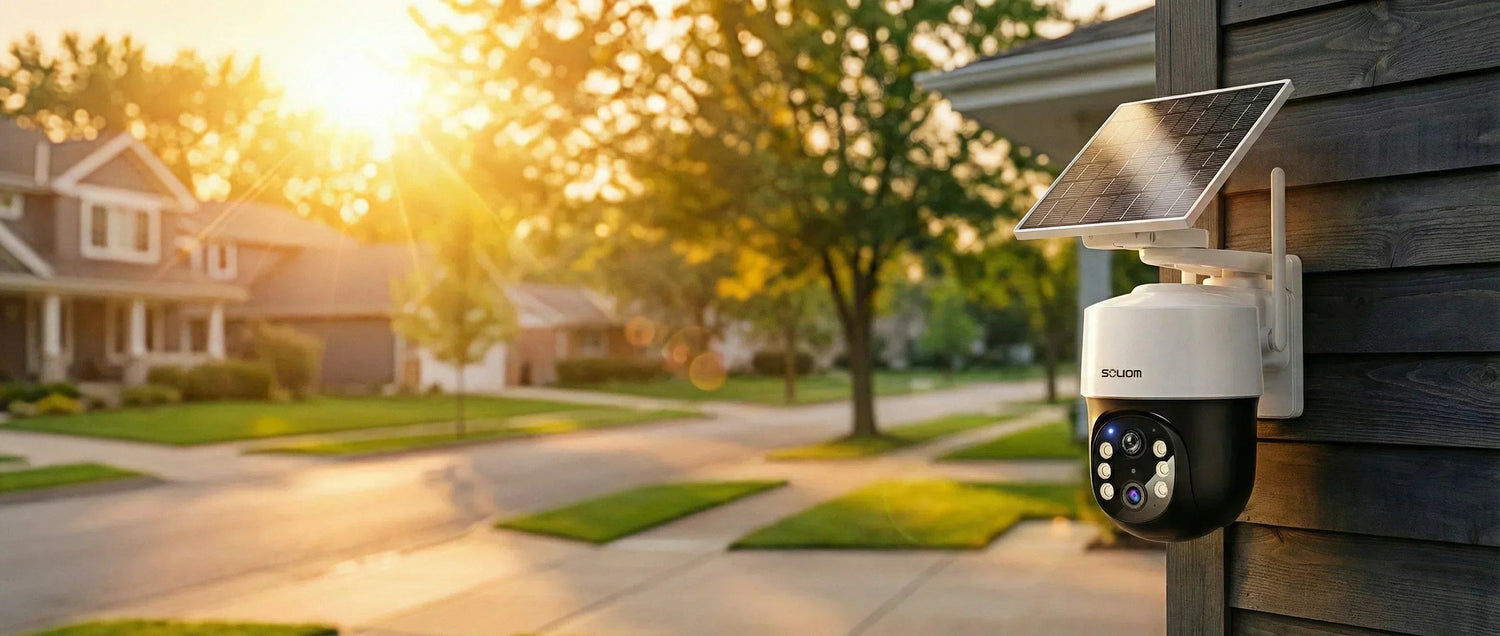

Start Here: What “Best” Really Means for a Solar-Powered Security Camera
If you’re asking, “What Is the Best Solar Powered Security Camera? A Practical Guide to Choosing the Best Home Security Cameras (Without Subscription Fees),” you’re really asking a bigger question. What setup of solar security cameras will protect your home daily without adding hassle or monthly bills? “Best” is not a single model for everyone. It’s the camera that fits your location, lighting, WiFi reach, and the events you need to capture. When you define “best” by outcomes—clear video, useful alerts, and dependable power—you avoid buying impressive but unhelpful features.
Start by listing your top two priorities. Most homeowners choose between sharper identification and wider coverage. Sharper identification means clearer faces, packages, and plates. Wider coverage means seeing a full driveway or backyard. Then confirm the basics that make solar security work: steady charging, weather-ready hardware, and an app experience you’ll actually use. Finally, decide how important it is to avoid ongoing fees. Soliom’s approach is simple: solar-powered, high-definition monitoring, AI-driven alerts, and no subscription fees. That way you control both your security and your costs.
Match the camera to your problem: porch deliveries, driveway coverage, back yard, or off-grid property
Match the camera to your problem: porch deliveries, driveway coverage, backyard, or off-grid property. A porch camera needs a tight door view, strong two-way audio, and fast motion alerts. That way you can respond quickly to deliveries. A driveway camera needs wider coverage and enough detail to recognize vehicles and movement patterns. A backyard camera often needs better night performance and fewer false alerts from trees or pets. For off-grid property, the priority shifts to solar-powered uptime and reliable wireless range. Place the panel where sunlight can keep the battery topped up.
Before you shop, sketch your home’s “risk zones” and pick one camera per zone. You’ll get better results than stretching one camera across too many angles. If you want a cleaner exterior, look for a sleek, unobtrusive design that blends into siding or eaves. Still make sure you can “Mount where sunlight hits.” That balance—coverage plus charging—often determines what is best in practice.
The non-negotiables: solar-powered uptime, high-definition detail, AI-driven alerts, and easy installation
The non-negotiables: solar-powered uptime, high-definition detail, AI-driven alerts, and easy installation. Solar-powered uptime means the camera can maintain charge through normal weather changes. It should still record when you need it. High-definition detail means you can actually use the footage, not just see a blurry silhouette. AI-driven alerts matter because they reduce noise from passing cars, shifting shadows, or busy sidewalks. Easy installation matters because the best camera is the one you mount correctly and keep running. Aim it correctly and avoid constant adjustments.
Look for practical features that support those non-negotiables: adjustable mounting, strong night vision, two-way audio, and pan/tilt options. Use pan and tilt when you need flexible coverage. If you want “set it and forget it,” prioritize a stable solar panel position. Also choose an app that makes it easy to review events. Soliom’s core promise aligns here: sustainable security with high-definition monitoring and AI-driven alerts. You get this without adding subscription pressure.
Cost clarity: how much does home security cameras cost—and what “no subscription fees” changes over time
Cost clarity: how much do home security cameras cost, and what “no subscription fees” changes over time. Your upfront cost usually reflects resolution, night performance, AI features, and build quality. Solar-powered models can cost more initially because they include a panel and power management. Over time, though, “no subscription fees” changes the math. If you keep cameras for years, avoiding monthly charges can protect your budget. It also keeps your system scalable as you add more coverage points.
When you compare options, separate “camera cost” from “ownership cost.” Ownership cost includes subscriptions, replacement batteries, and the time you spend recharging or troubleshooting. A solar-powered camera that stays charged and sends useful alerts can save you time every week. Soliom’s tagline says it plainly: “Stop Paying Rent for Your Own Video Footage.” If you value cost transparency, make sure the features you need remain useful without monthly add-ons.
Are Solar-Powered Security Cameras Worth It? (Pros, Cons, and Who Benefits Most)

Are Solar-Powered Security Cameras Worth It? (Pros, Cons, and Who Benefits Most) depends on your outdoor layout and maintenance tolerance. If you’ve ever climbed a ladder to recharge a camera, solar can feel like a major upgrade. It also helps if you found a camera dead after a cold week. Solar-powered security cameras often work best for homeowners who want consistent outdoor coverage. They help you avoid running power cables. They also fit eco-conscious households that prefer sustainable security choices.
There are tradeoffs. Solar performance depends on placement and seasonal light. Wireless cameras also rely on a stable connection and thoughtful positioning. Still, when you plan for sunlight and mount correctly, solar is very practical. It is one of the best ways to keep outdoor monitoring steady. If your goal is “What Is the Best Solar Powered Security Camera? A Practical Guide to Choosing the Best Home Security Cameras (Without Subscription Fees),” solar is often worth it. It reduces ongoing friction.
When solar wins: reducing charging hassle and keeping coverage steady outdoors
When solar wins: reducing charging hassle and keeping coverage steady outdoors. Solar wins when your camera sits far from outlets. It also wins when you want clean installation or coverage in hard-to-reach places. A solar-powered setup can keep your camera ready for motion events. You avoid frequent battery checks. That matters most for driveways, side yards, detached garages, and back fences. In those spots you want consistent visibility.
Solar also supports expansion. Once you know where sunlight hits, you can add cameras to new zones without planning electrical work. For many homes, that’s the difference between “one camera that sometimes works” and a complete outdoor plan that stays active. If you want reliable monitoring with fewer interruptions, solar-powered uptime is a practical advantage.
Do solar powered cameras need direct sunlight? Real-world placement tips so you can “Mount where sunlight hits.”
Do solar powered cameras need direct sunlight? Real-world placement tips so you can “Mount where sunlight hits.” Many solar-powered cameras can charge in bright indirect light. Direct sun usually improves charging consistency. The goal is not perfect noon sun every day. The goal is enough daily light to maintain battery levels through normal use. If your mounting spot is shaded by trees or a roofline, consider shifting the camera a few feet. You can also adjust the panel angle.
Use these placement tips: mount where you get the longest stretch of daylight. Avoid deep porch ceilings that block the panel. Aim the camera to reduce glare from morning or evening sun. If you can, test the view in your app at different times of day. A small change in angle can improve charging and image clarity. “Set. Sun. Done.” works best when you plan for light first. Then fine-tune the view.
Common concerns (and how to think about them): reliability, weather, and what to expect from wireless cameras
Common concerns (and how to think about them): reliability, weather, and what to expect from wireless cameras. Reliability starts with realistic expectations. Wireless outdoor cameras can be very dependable, but they need good placement and a stable network. Weather resistance matters because outdoor gear faces rain, wind, heat, and cold. Look for a camera built for outdoor use and mount it securely so vibration does not blur motion clips.
Also think about how you’ll use alerts. AI-driven motion detection helps reduce false alarms, but no system is perfect in a busy area. Set activity zones and sensitivity levels based on your driveway traffic and porch footpath. If you want fewer interruptions, tune notifications after the first week. That small setup step often turns a “noisy” camera into a calm, useful security tool.
Wireless, No Subscription, and Secure: What to Look For Before You Buy

Wireless, No Subscription, and Secure: What to Look For Before You Buy is where many “best camera” lists fall short. You don’t just need a camera that records. You need a camera that fits your home’s layout and protects your privacy. It should also stay useful without monthly payments. If you’re using this page as your “What Is the Best Solar Powered Security Camera? A Practical Guide to Choosing the Best Home Security Cameras (Without Subscription Fees),” focus on three checks. Understand what “wireless” really means. Confirm what you can do without fees. Finally, review how the brand handles security basics.
For most outdoor setups, wireless means the camera connects to your network without an Ethernet cable. It still needs power management. Solar-powered models reduce the power problem, but you still need a strong WiFi signal. Check signal strength where you plan to mount. If your signal is weak at the edge of your property, plan for a WiFi extender. You can also choose a different mounting point.
Are there wireless cameras? What “wireless security camera” typically means for outdoor setups
Are there wireless cameras? Here is what “wireless security camera” typically means for outdoor setups. The camera sends video over WiFi and runs on battery, solar, or both. It does not mean “no setup.” You still need to pair the camera in an app and choose a mounting surface. Confirm the signal strength before final installation. For outdoor coverage, wireless is popular because it supports easy installation and flexible placement.
When you evaluate wireless, check two things: connection stability and recovery after outages. A good system reconnects smoothly after a router restart and keeps your settings intact. Also confirm you can adjust motion zones and notification rules. Those controls help you tailor the camera to a porch, driveway, or backyard without constant false alerts.
What security camera does not require a subscription: features that stay useful without monthly fees (alerts, live view, recordings)
What security camera does not require a subscription: features that stay useful without monthly fees (alerts, live view, recordings). The key is to confirm what remains available after setup. At minimum, you want live view, motion alerts, and access to recordings without being forced into a plan. No subscription fees should not mean “no features.” It should mean you can still review events, respond through two-way audio, and manage your camera settings without extra costs.
Cost transparency matters because security is not a one-month purchase. It’s a long-term system. Soliom’s focus on no subscription fees supports that long-term value. You can build coverage over time without worrying that each added camera increases your monthly bill. “Stop Paying Rent for Your Own Video Footage.” is not just a slogan. It’s a practical buying filter.
Brand comparison questions people ask: can you use Arlo cameras without a subscription / does Arlo cameras work without subscription / are Tapo cameras secure (how to evaluate security and privacy without guessing)
Brand comparison questions people ask include: can you use Arlo cameras without a subscription? Does Arlo work without subscription? Are Tapo cameras secure? How do you evaluate security and privacy without guessing? Instead of guessing, use a simple evaluation method. First, read the product page and confirm what features require a plan. Second, check how recordings are stored and accessed. Third, review privacy controls in the app, including password requirements. Also check device sharing options.
Also look for clear documentation and support. A secure camera experience includes regular app updates and straightforward account controls. It also needs a clear setup flow. You should be able to control who can view the camera and manage notifications. Keep your device firmware current. When you choose a solar-powered camera with no subscription fees, confirm you still get the essentials. You should receive useful alerts, reliable live view, and practical recordings.
Outdoor Performance Checklist: What Are the Best Security Cameras for Outdoors?

Outdoor Performance Checklist: What Are the Best Security Cameras for Outdoors? If you want top outdoor results, judge cameras by footage you can act on. Outdoor scenes include glare, shadows, rain, and fast movement. That’s why high-definition, strong night vision, and AI-driven alerts matter more than flashy specs. In the context of “What Is the Best Solar Powered Security Camera? A Practical Guide to Choosing the Best Home Security Cameras (Without Subscription Fees),” outdoor performance is critical. It is where the right camera pays off.
Use this checklist mindset: can you identify a person at your gate and confirm a package drop? Can you understand what happened in a 10-second clip? If the answer is yes, you’re close to “best.” If the answer is no, adjust placement or upgrade resolution. You can also choose a camera with better night coverage and smarter detection.
Clarity you can actually use: what high-definition means for faces, packages, and license plates (without overpromising)
Clarity you can actually use: what high-definition means for faces, packages, and license plates, without overpromising. High-definition helps you see details like clothing, package labels, and facial features at typical porch distances. For driveways, clarity helps you track vehicle movement and confirm make and color. License plates are harder because distance, speed, and lighting vary. You get the best chance when the camera is positioned closer to the plate path. Angle it to reduce headlight glare.
Choose resolution that matches your distance. If the camera covers a wide area, higher resolution helps preserve detail. If you only need a tight porch view, smart placement can matter as much as megapixels. Soliom offers high-definition options up to 8MP so you can prioritize detail where it matters most.
Night coverage: why color night vision matters for outside night vision cameras
Night is when many homeowners realize their camera choice was wrong. Standard night vision can show shapes and motion, but color night vision can add context. Color can help you distinguish clothing, vehicles, and objects on the ground. That context can make clips more useful when you review an alert.
To improve night results, avoid pointing directly at reflective surfaces. Keep the lens away from bright porch lights that cause flare. If possible, mount under an eave to reduce rain spots on the lens. Then test your night view and adjust the angle. A few degrees can reduce glare and improve usable detail.
Smarter alerts: how AI-driven motion detection helps reduce false alarms in busy areas like porches and driveways
Smarter alerts: how AI-driven motion detection helps reduce false alarms in busy areas like porches and driveways. Outdoor motion is constant. Cars pass, trees move, and shadows shift. AI-driven alerts help you focus on the events that matter. When your camera can better distinguish meaningful motion, you check fewer notifications and respond faster to real issues.
Make AI-driven alerts work for you by setting activity zones. Exclude the street edge if it triggers too often. Reduce sensitivity if wind moves branches in frame. Increase sensitivity for a side gate that rarely sees traffic. These small adjustments turn a camera into a practical daily tool, not a source of noise.
24/7 Recording and Surveillance System Questions: What Cameras Record 24/7?
24/7 Recording and Surveillance System Questions: What Cameras Record 24/7? Many homeowners assume 24/7 recording is the gold standard. In reality, it depends on your risk level and how you review footage. Continuous recording can be helpful for high-traffic areas or when you need a complete timeline. Motion-based recording can be enough for most homes, especially when AI-driven alerts capture the moments that matter.
When you ask, “What Is the Best Solar Powered Security Camera? A Practical Guide to Choosing the Best Home Security Cameras (Without Subscription Fees),” also ask how you will use recordings. If you rarely review footage, motion clips with clear timestamps may work better. They can serve you better than hours of video. If you manage multiple entry points, a system approach often beats a single camera.
What camera system records 24 7 vs motion-based recording: how to decide what you truly need
What camera system records 24 7 vs motion-based recording: how to decide what you truly need. Choose 24/7 recording if you need a continuous timeline, such as repeated incidents in a specific area. Choose motion-based recording if you want faster review, less storage pressure, and fewer hours to sift through. Motion-based recording works best when the camera has strong detection and quick wake times.
Decide by asking: do you need to see everything, or do you need to catch key events? For most porches and backyards, key events are enough. For a driveway with frequent traffic, you may want broader capture. Either way, prioritize high-definition clips and reliable alerts so your recordings stay useful.
A good security camera system vs a single surveillance camera: choosing coverage for front door + side yard + driveway
A good security camera system vs a single surveillance camera: choosing coverage for front door, side yard, and driveway. A single camera can’t be in three places at once. If you want full coverage, plan a small system. Use one camera for the porch, one for the driveway, and one for a side yard or back gate. That approach reduces blind spots and improves identification angles.
Keep it simple by standardizing on one app and one brand ecosystem. You’ll spend less time managing settings and more time getting value from alerts. Solar-powered models help because you can mount where coverage is best, not where outlets exist.
Property and multi-site needs: how property management can think about placement, permissions, and consistent monitoring
Property and multi-site needs: how property management can think about placement, permissions, and consistent monitoring. If you oversee rentals, small commercial properties, or multiple buildings, consistency matters. Standardize camera placement rules, naming conventions, and notification settings. Make sure you have permission for camera placement and that you avoid pointing into private areas.
For multi-site monitoring, prioritize easy installation and reliable alerts. Solar-powered cameras can reduce installation complexity in outdoor areas. No subscription fees can also simplify budgeting across multiple locations. The goal is predictable coverage and clear footage, not a complicated setup that no one maintains.
No WiFi, No Internet, Rural, and Off-Grid Use Cases (What’s Possible and What to Plan For)
No WiFi, No Internet, Rural, and Off-Grid Use Cases (What’s Possible and What to Plan For) requires clear expectations. Solar power solves one problem: electricity access. It does not automatically solve connectivity. If you want remote viewing and instant alerts, you need some form of network connection. If you only need local recording, you can plan differently.
This section matters if your “best” camera must cover a gate, barn, long driveway, or remote lot. In those cases, the right plan includes both solar placement and connectivity planning. If you are using this as “What Is the Best Solar Powered Security Camera? A Practical Guide to Choosing the Best Home Security Cameras (Without Subscription Fees),” treat off-grid as a system design problem. It is not just a camera purchase.
Security cameras without WiFi: what “no WiFi cameras” and “wireless cameras without internet” can mean in real-life planning
Security cameras without WiFi: what “no WiFi cameras” and “wireless cameras without internet” can mean in real-life planning. “No WiFi” often means the camera records locally and you retrieve footage later, or it uses an alternative connection method. “Wireless without internet” can still mean you connect locally when you are nearby, but you won’t get remote alerts off-site.
Before you buy, decide what you need most: remote access or local evidence. If you need remote access, plan for a network solution that reaches the camera location. If you only need local recording, focus on stable power, weather resistance, and a clear view of the target area.
Outdoor security camera without WiFi or internet: options to consider (and the tradeoffs to expect) for barns, gates, and remote lots
Outdoor security camera without WiFi or internet: options to consider and tradeoffs to expect for barns, gates, and remote lots. The tradeoff is simple: less connectivity means less convenience. You may lose instant alerts. You may also lose remote live view. In exchange, you can still capture events if the camera records locally. It must also stay powered.
For remote lots, prioritize mounting stability, a clear line of sight, and solar exposure. Use a higher mounting position to reduce tampering, but not so high that faces become unidentifiable. Also plan for seasonal changes. A spot that gets sun in summer may be shaded in winter.
Farm cameras and rural monitoring: farm security cameras without WiFi, off grid security camera no WiFi, driveway camera placement, and coverage priorities
Farm cameras and rural monitoring: farm security cameras without WiFi, off grid security camera no WiFi, driveway camera placement, and coverage priorities. Start with the choke points: gates, equipment sheds, fuel storage, and the main driveway approach. Driveway camera placement works best when you can capture vehicles early. Place cameras so they record vehicles before they reach the house. Aim for a view that shows the approach path clearly. Add a secondary angle near the gate if possible.
In rural areas, wind and wildlife can trigger motion. Use AI-driven alerts and activity zones to reduce noise. Also mount where sunlight hits for steady charging. Solar-powered uptime matters more in remote areas because you may not notice a low battery until you need footage.
Soliom Picks: Solar-Powered Outdoor Cameras Built for Clear, Practical Security
Soliom Picks: Solar-Powered Outdoor Cameras Built for Clear, Practical Security focuses on what most homeowners actually need. You need dependable outdoor power, clear video, and useful alerts—without ongoing fees. If you’ve been searching “What Is the Best Solar Powered Security Camera? A Practical Guide to Choosing the Best Home Security Cameras (Without Subscription Fees),” use this section as a shortcut. Choose based on location and the type of detail you want captured.
Soliom designs solar-powered cameras to blend into modern exteriors while staying practical to install. You get high-definition monitoring options, AI-driven motion detection, and a user-friendly experience. Most importantly, you avoid the frustration of paying monthly just to access the footage you already captured.
Soliom 4K Wireless Security Camera: who it’s for, what it helps you see, and where it fits best outdoors (solar-powered, high-definition, AI-driven alerts, no subscription fees)
Soliom 4K Wireless Security Camera: who it’s for, what it helps you see, and where it fits best outdoors. It is solar-powered, high-definition, with AI-driven alerts and no subscription fees. Choose this option when detail is your priority. Higher resolution can help you see clearer faces at the porch. It also shows better context in wider scenes like a driveway. It’s a strong fit for front entries and garages. Use it anywhere you want sharper identification in motion clips.
Place it where it can get consistent light and a stable WiFi signal. Use AI-driven alerts to keep notifications focused on real activity. With no subscription fees, you keep cost transparency as you expand coverage. It supports the Soliom promise: sustainable security without hidden costs.
Soliom Solar-Powered Security 5MP UHD: a strong option when you want high-definition monitoring with solar-powered convenience (plus no subscription fees)
Soliom Solar-Powered Security 5MP UHD: a strong option when you want high-definition monitoring with solar-powered convenience (plus no subscription fees). This option fits homeowners who want strong clarity without overcomplicating the setup. It works well for backyards, side yards, and driveways where you want reliable coverage and practical detail for everyday events.
For best results, mount at a height that captures faces and packages without extreme downward angles. Then set activity zones to reduce alerts from sidewalks or street traffic. You get solar-powered convenience, high-definition video, and no subscription fees, which keeps your system predictable over time.
Which is the best security camera for you? A quick decision guide by location (porch camera, driveway camera, backyard) and priorities (detail, coverage, ease)
Which is the best security camera for you? A quick decision guide by location (porch camera, driveway camera, backyard) and priorities (detail, coverage, ease).
For porches, prioritize two-way audio, fast alerts, and clear close-range detail. For driveways, prioritize wider coverage and strong night performance. Use AI-driven alerts to reduce false alarms on driveways. For backyards, prioritize night coverage and weather-ready reliability. If you want maximum detail, choose the higher-resolution option for key entry points. If you want balanced coverage with simple setup, choose a high-definition model. Make sure it fits your mounting location and available sunlight. In every case, the “best” choice supports easy installation and consistent solar-powered uptime. That is how you turn a product into a working security plan.
Shopping Questions People Ask (Quick Answers Before You Decide)
Shopping Questions People Ask (Quick Answers Before You Decide) helps you avoid last-minute doubt. These are the questions that usually show up right before checkout. They appear especially when you’re asking “What Is the Best Solar Powered Security Camera? A Practical Guide to Choosing the Best Home Security Cameras (Without Subscription Fees).” Focus on what changes price and what matters beyond appearance. Also decide what checklist you can reuse for any outdoor camera.
Keep your buying criteria simple: power stability, usable video, smart alerts, and no subscription fees if you want cost transparency. Then confirm the camera fits your mounting surface and your WiFi reach. A camera that looks great but misses motion or loses charge will never feel like “best.”
How much are security cameras / how much do outdoor security cameras cost: what changes the price (resolution, features, solar, app experience)
How much are security cameras and how much do outdoor security cameras cost? Here is what changes the price: resolution, features, solar, and app experience. Price changes most with resolution, night vision performance, AI features, and solar power design. A better app experience can also add value. It reduces friction when you review clips or adjust settings. Build quality and weather resistance matter outdoors. Avoid choosing on specs alone.
To compare fairly, look at ownership cost. A camera with no subscription fees can cost more upfront but less over time. Also consider how many cameras you need. A well-planned two- or three-camera setup often beats one expensive camera trying to cover everything.
What are the black cameras with solar panels? What to check so you’re buying for performance—not just the look
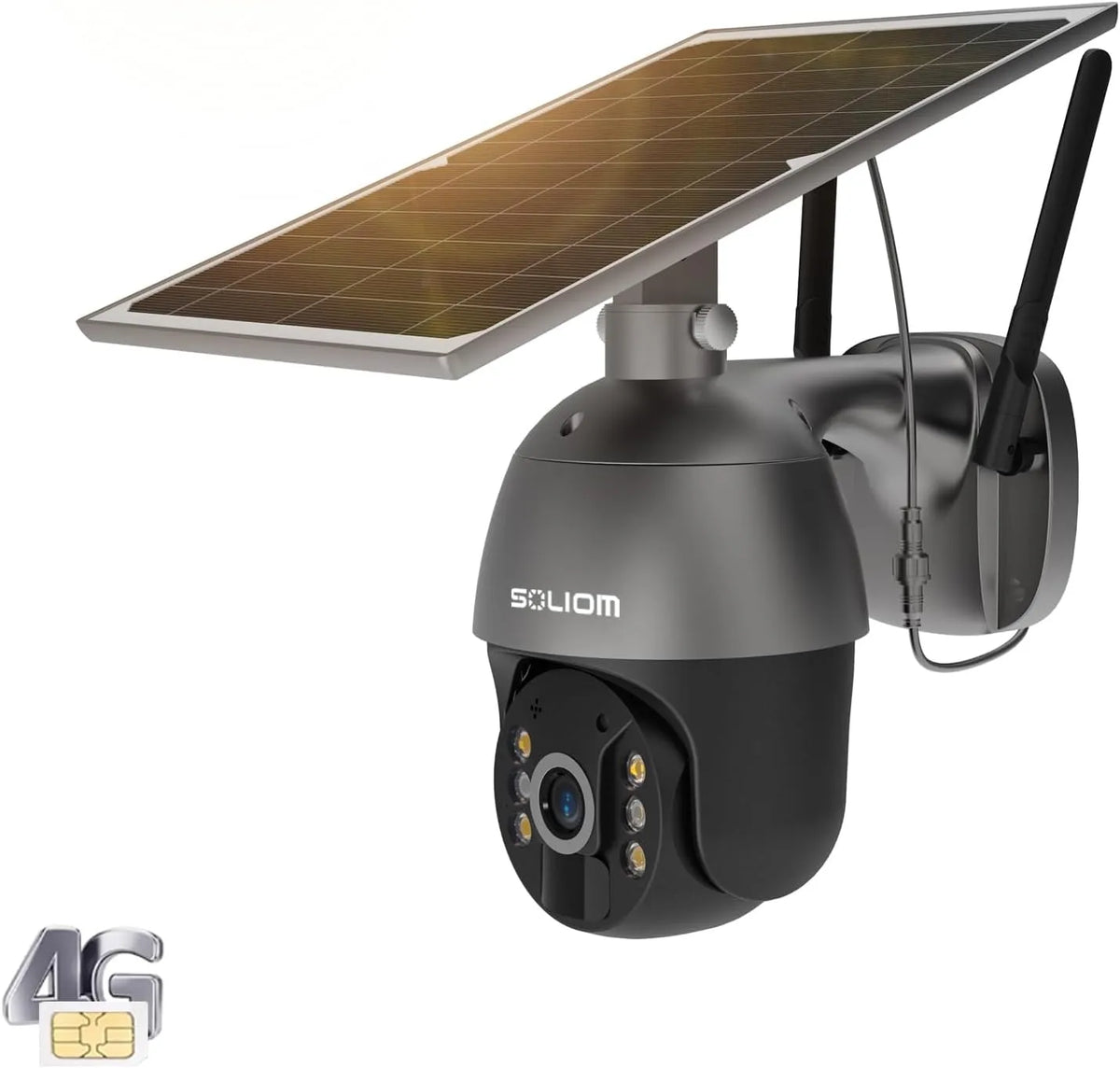
What are the black cameras with solar panels? What to check so you’re buying for performance—not just the look. Many solar-powered cameras use darker housings because they blend into trim and modern exteriors. The look is fine, but performance matters more. Check the panel size, the mounting flexibility, and whether the camera can maintain charge in your climate.
Also check high-definition specs and night vision capabilities. Confirm AI-driven alerts and activity zones are available, so you can reduce false alarms. Finally, confirm you can use core features without monthly payments if you want no subscription fees. That combination is what turns a stylish device into reliable security.
What are good security cameras and what are the best home surveillance cameras: a simple checklist you can reuse
What are good security cameras and what are the best home surveillance cameras? Here is a simple checklist you can reuse. Look for solar-powered uptime or very stable power. Demand high-definition video you can act on and strong night coverage. Choose AI-driven alerts with zones and easy installation. You also need a clear privacy and sharing setup. Then confirm the camera fits your location, whether porch, driveway, or backyard.
If you want long-term value, add one more item: no subscription fees for the features you rely on. That keeps your system scalable and predictable. When you can meet these checks, you’re close to the best home security cameras for everyday outdoor monitoring.
Common Mistakes to Avoid When Installing Solar Outdoor Cameras
Common Mistakes to Avoid When Installing Solar Outdoor Cameras can save you more than money. They can save you from missed clips and constant notifications. Even the best hardware can underperform if you mount it poorly or ignore sunlight patterns. If you’re still working through “What Is the Best Solar Powered Security Camera? A Practical Guide to Choosing the Best Home Security Cameras (Without Subscription Fees),” remember this. Installation is part of the product experience.
Plan your mounting spot in two steps. First, choose the view that captures the event. Second, confirm the solar panel can charge consistently. Then do a quick test day and night. Small adjustments in height and angle often make the biggest difference.
Mounting too high or pointing into glare: how to protect image quality and reduce missed motion
Mounting too high or pointing into glare: how to protect image quality and reduce missed motion. If you mount too high, you may capture the top of heads instead of faces. You also reduce detail on packages and hands at the door. If you point into glare, you can wash out the scene and reduce motion accuracy. Aim for a height that captures faces clearly while keeping the camera out of easy reach.
Check for glare at sunrise and sunset. Re-aim slightly to avoid direct sun in the lens. Also avoid pointing at shiny cars or reflective windows. These small changes protect high-definition detail and help AI-driven alerts work more accurately.
Ignoring sunlight patterns: making solar work for you without constant adjustments
Ignoring sunlight patterns: making solar work for you without constant adjustments. Solar works best when you plan for the daily light path. A spot that looks bright at noon may be shaded in the morning when you get deliveries. Walk outside and look for consistent light across the day. Then “Mount where sunlight hits.”
If your preferred camera angle is shaded, consider shifting the mount location. You can also use a different surface that gets more light. Also keep the panel clean. Dust and pollen can reduce charging efficiency. A quick wipe during seasonal changes can help maintain solar-powered uptime.
Overbuying features you won’t use: choosing a good home security camera system that stays simple
Overbuying features you won’t use: choosing a good home security camera system that stays simple. More features do not always mean better security. If you won’t use advanced modes, focus on what you will use daily: clear video, reliable alerts, and easy review. A simple system that stays consistent beats a complex setup that you stop checking.
Buy for your actual routine. If you mainly want porch delivery awareness, prioritize fast alerts and two-way audio. If you want driveway awareness, prioritize coverage and night performance. If you want long-term value, prioritize no subscription fees so your system remains cost-transparent.
FAQ: Choosing the Best Security Cameras Without a Subscription
FAQ: Choosing the Best Security Cameras Without a Subscription focuses on what you should confirm before you commit. Many shoppers want the best home security cameras without monthly bills, but they still need practical features. Use these answers as a final check while you decide what is best for your home and your outdoor layout.
If your main goal is “What Is the Best Solar Powered Security Camera? A Practical Guide to Choosing the Best Home Security Cameras (Without Subscription Fees),” keep your questions outcome-based. Ask what you can see, how you get alerts, and whether the camera stays powered outdoors with minimal effort.
What are the best security cameras without a subscription—and what should you confirm before checkout?
What are the best security cameras without a subscription, and what should you confirm before checkout? Confirm that live view, motion alerts, and access to recordings work without a monthly plan. Confirm the camera supports the storage method you prefer. Ensure the app lets you manage activity zones and notification settings. Also confirm outdoor readiness, including weather resistance and stable mounting.
Finally, confirm solar-powered uptime expectations for your location. If your mounting spot is shaded, plan a different position. The best security cameras without a subscription are the ones that stay useful every day, not just on day one.
Which home security camera is best without subscription fees for outdoor monitoring?
Which home security camera is best without subscription fees for outdoor monitoring? The best choice delivers high-definition footage you can act on. It should send AI-driven alerts that reduce false alarms. It must also support easy installation in your outdoor zones. For many homeowners, solar-powered operation is the key. It keeps coverage steady without frequent charging.
Soliom’s solar-powered lineup is built around that idea: clear outdoor monitoring with no subscription fees. That supports cost transparency and makes it easier to expand your system over time.
What is the best outdoor security camera without a subscription if you want solar-powered convenience?
What is the best outdoor security camera without a subscription if you want solar-powered convenience? Look for a solar-powered camera that balances charging stability, high-definition detail, and AI-driven alerts. Then match the model to your location. Use higher resolution where identification matters most, like the porch or driveway entry.
Also confirm you can mount where sunlight hits and still keep a strong WiFi signal. When those basics align, solar-powered convenience feels effortless. You get sustainable security and predictable costs, without paying monthly to access your own footage.
Conclusion: Your Best Solar-Powered Security Camera Is the One That Solves Your Everyday Problem
Your best choice comes from clarity, not guesswork. When you define “best” by your daily problem, you choose smarter. Porch deliveries, driveway coverage, backyard monitoring, or off-grid needs all differ. Match your camera to the problem and location. The strongest setups share the same foundation: solar-powered uptime, high-definition monitoring, AI-driven alerts, and easy installation.
That foundation also supports cost transparency. No subscription fees means your system stays predictable as you add coverage. If you want a practical path forward, map your outdoor zones first. Then choose the camera resolution and coverage style that fit each zone.
Recap: sustainable security + high-definition monitoring + AI-driven alerts + no subscription fees
Sustainable security reduces maintenance and supports eco-friendly living. High-definition monitoring helps you see details you can actually use. AI-driven alerts reduce false alarms and keep you focused on real events. No subscription fees keeps your ownership cost clear over time. When these four work together, you get security that fits real life.
Next step: choose your outdoor coverage plan, then compare Soliom’s solar-powered options that fit your home
Choose your coverage plan by location first: porch, driveway, and backyard. Then decide where you need maximum detail versus broad coverage. From there, compare Soliom’s solar-powered options based on your sunlight exposure, WiFi reach, and the kind of alerts you want. This approach makes it easier to choose confidently and avoid overbuying.
Soft CTA: explore Soliom’s solar-powered outdoor security cameras and set up your system with easy installation—Set. Sun. Done.
Explore Soliom’s solar-powered outdoor security cameras and build a setup that stays clear, practical, and cost-transparent. You get sustainable security, high-definition video, AI-driven alerts, and no subscription fees. That means you can stop paying rent for your own video footage. Set. Sun. Done.


Leave a comment
This site is protected by hCaptcha and the hCaptcha Privacy Policy and Terms of Service apply.